Challenge
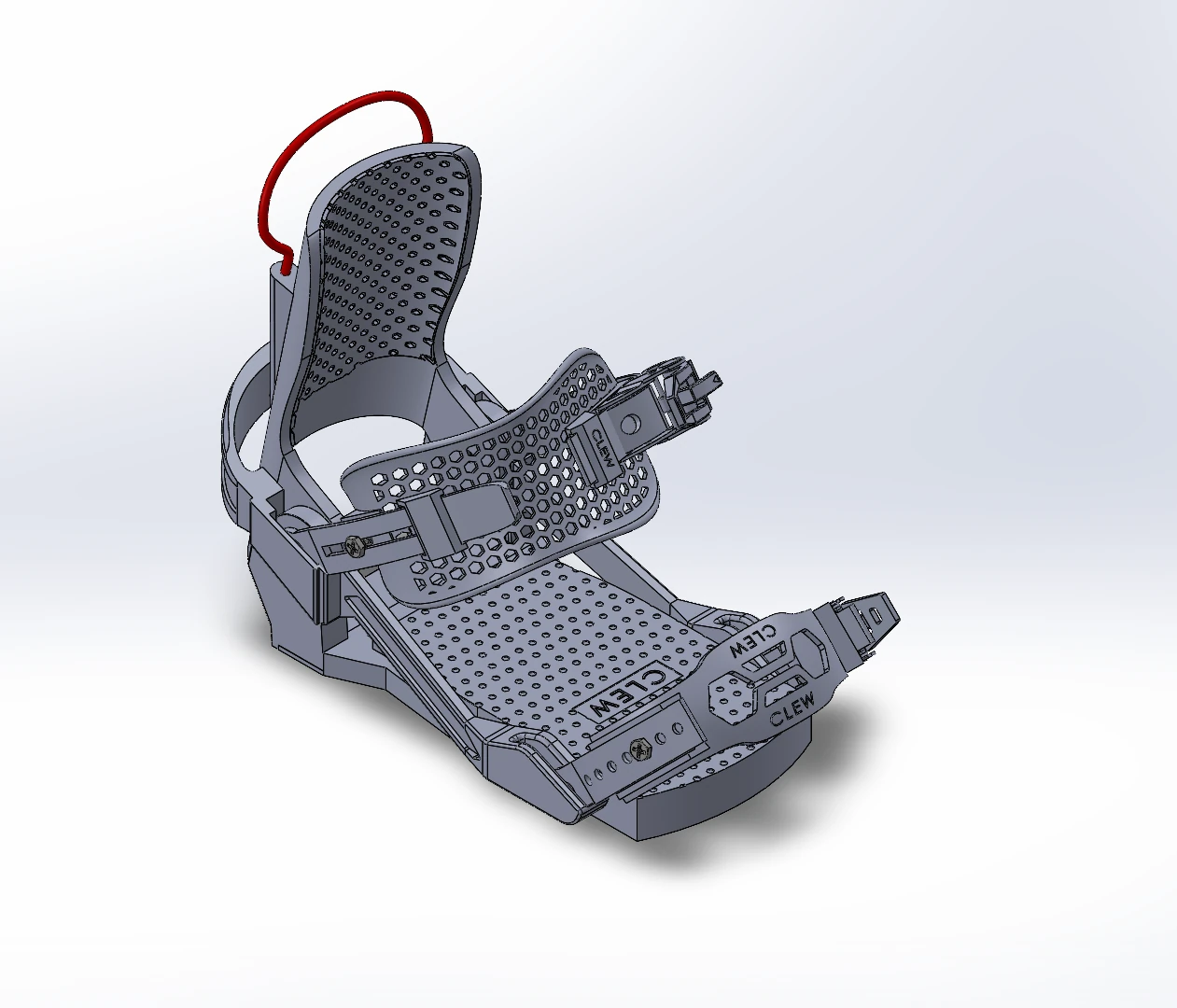
For the personal project in my introductory SolidWorks course, I chose to model a step-in snowboard binding. I wanted to work on something more complex than what we had covered in class. The binding had curved shapes, many individual parts, and smaller assemblies within the main assembly, which gave me a reason to learn features I had not used much before.
My goal was to recreate its shape and show the general movement of its parts in a complete model.
Measurement and reference geometry
I used digital calipers to measure the physical binding. For shapes that were hard to describe with measurements alone, I took photos as square-on as I could and imported them into SolidWorks. This let me use the measured dimensions alongside the outline in the photo.
The backing and straps were the hardest parts because of their irregular curves. The photos helped me understand those shapes, while the caliper measurements gave me dimensions to work from.
I used splines and surface modeling to create the curves, then extruded or thickened them to build the parts. I used relatively few sweeps because spline and surface work fit many of the irregular shapes in this model better.
Modeling work
I modeled the individual parts, grouped them into smaller assemblies, and brought those together into the complete binding. The two main groups were the removable backing and the base, with smaller assemblies inside them.
As I worked, I compared the model with the physical binding to check how the parts fit and moved. One area I revised was the geometry where the removable backing meets the base.
Building it this way helped me understand how individual parts and smaller assemblies come together to form a complete product.
Shape and general movement
I used constraints to limit how far the handle could travel and how the ratchet components could rotate. This let me represent their general movement within the assembly.
The model shows the shape of the step-in connection, but I did not model a working locking mechanism. The ratchet parts can rotate, but they do not advance or tighten the strap.
I was pleased with how closely the finished model resembled the binding. I based that on comparing its shape and general movement with the physical parts.
What to inspect
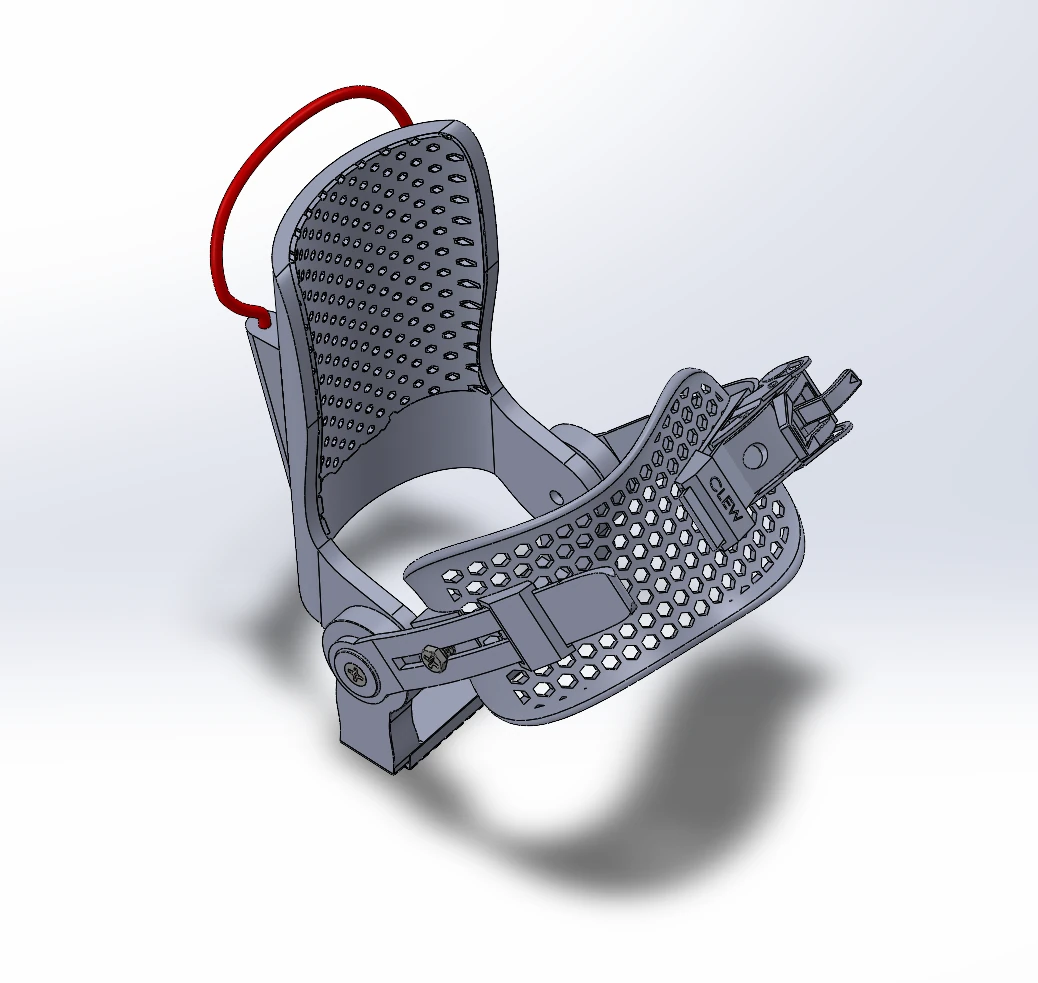
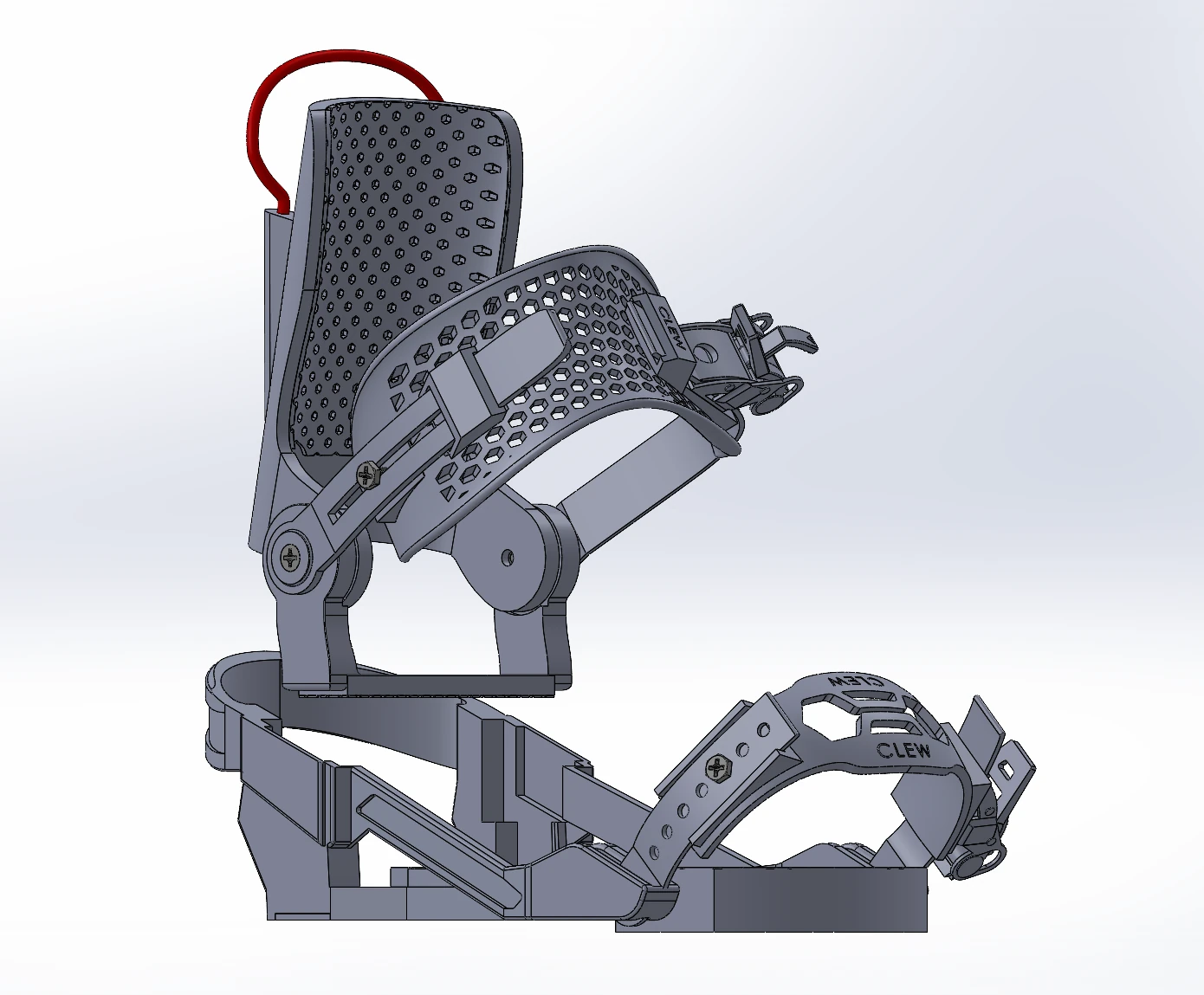
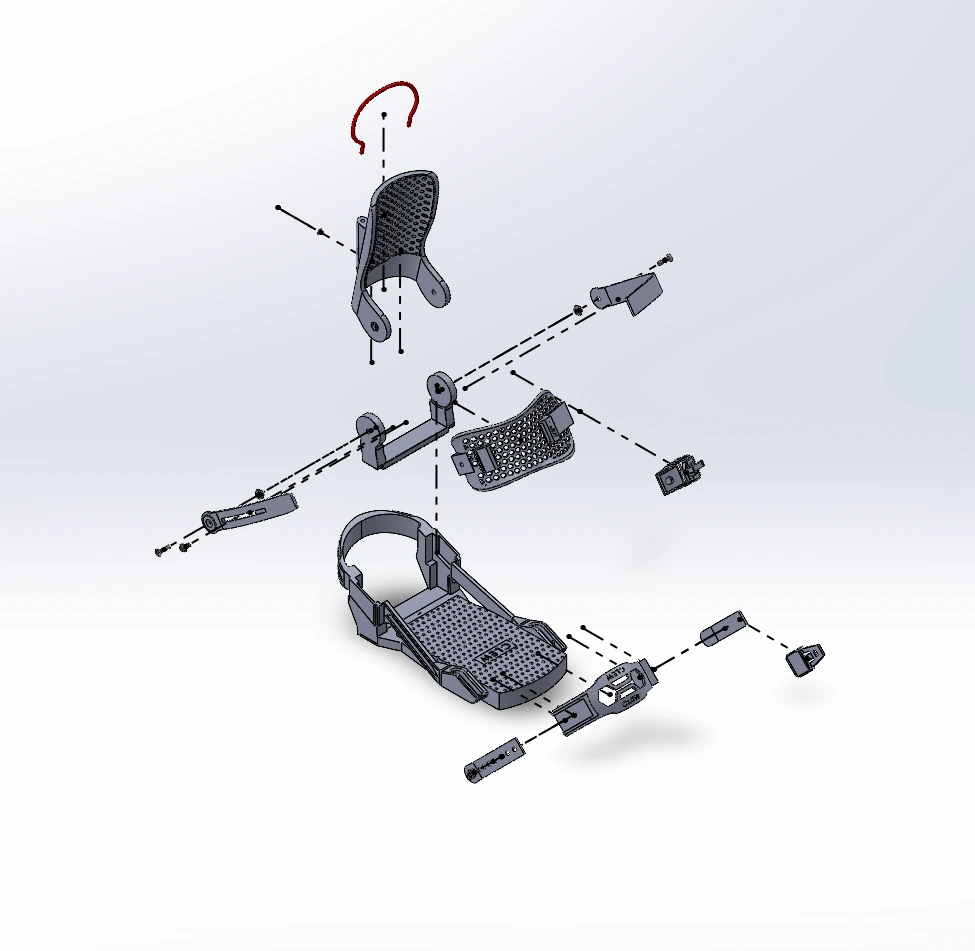
The screenshots show the finished model, a closer look at the curved backing and ankle strap, and how the parts fit together. The separated view shows the backing above the base, while the exploded view spreads out the individual parts and fasteners. These are still images, so they show the geometry and assembly structure rather than the movement described above.
Outcome
This project gave me more practice with surface modeling, complex curves, and assemblies than I had gotten from the introductory coursework. I am most proud of taking on something with that many parts and bringing them together into a complete model.
Geometry and assembly views
Images supplied by Ryan Grotke. Select an image to view it full size.